lundi 14 avril 2014

CARTVIS

CartVis est un logiciel qui vous permet tout simplement de créer votre propre carte de visite en quelques clics seulement. Il met à votre disposition les outils dont vous avez besoin pour personnaliser votre carte, ce qui vous permet de modifier le texte et les images selon vos préférences. Pour ce faire, il vous suffit d’entrer vos nom et prénoms et d’insérer votre photo pour que CartVis se charge du reste. Comme option, vous avez la possibilité de changer l’orientation, la couleur, la taille et la police du texte utilisé. Pour l’image, vous pouvez utiliser une image mixte et ajouter un fond transparent.

AutoScreenShot

AutoScreenShot est comme une caméra pour l'écran de votre PC.
Il est en effet capable d'enregistrer ce qui s'y affiche.
Très pratique si vous voulez savoir ce qui se passe sur votre PC pendant votre absence (exemple : contrôle parental ou speed-art).
Il effectue pour celà des captures d'écran automatiques, à intervals réguliers, qui sont consultables à tout moment.

PIXIA

Pixia est un petit logiciel de graphisme aux possibilités étonnantes.
A l'aise dans la retouche d'image et le traitement de photos, il s'avère trés performant pour la création graphique pure et dure.

  • Gestion de calques, de masques et de transparents
  • Mode de sélection original et complet
  • Divers filtres
  • Outils textes, dégradés et motifs bitmaps
  • Nombreux paramétrages
  • Interface conviviale et exhaustive

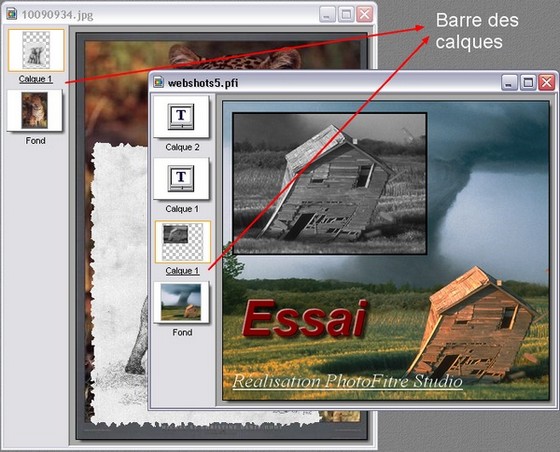
PhotoFiltre Studio

PhotoFiltre Studio is a complete image retouching program. It allows you to do simple or advanced
adjustments to an image and apply a vast range of filters on it. It is simple and intuitive to use, and 
has an easy learning curve. The toolbar, giving you access to the standard filters with just a few 
clicks, gives PhotoFiltre Studio a robust look. PhotoFiltre Studio also has layer manager (with Alpha
channel), advanced brushes, nozzles (or tubes), red eye corrector, batch module and lot of other 
powerful tools.

vendredi 11 avril 2014

Fotobounce

Fotobounce is unique from other photo management and sharing software applications. 
Here’s how:
*We scan the digital photos on your local computer disk (Windows or Mac) and then give you the most efficient and effective method for tagging those photos with the names of people that appear in the photos. Our patented technology clusters similar looking faces together to enable you to tag many faces with one click. In independent testing we were shown to be more accurate and faster at tagging than Picasa, MS Photo Gallery and iPhoto.
*We provide you with many different Album options to organize your photos in addition to the fantastic People index. Albums can be Events, Places, Collections and Keywords.
*You can be as private or as public as you want to be with your photo sharing. Fotobounce gives you all of these sharing options:
*Upload albums or photos to Facebook, Flickr or Twitter.
*Upload albums to the Fotobounce website and get a URL link that you can share privately via email or any other method. We delete photos uploaded to this link after 60 days so that you don’t have to worry about your photos floating around on the Interweb for ever and a day. Any photos uploaded to Twitter also follow this plan.
We allow you to create a private Fotobounce “bouncer” network. Two or more Fotobounce systems can connect together similar to Skype and share full resolution photos with each other. All transmissions of photos are totally secure with bank-grade encryption.

Photo Collage Max

Photo Collage Max is a digital collage maker which gives people the advantage to design precious collages with their own photos, images, text creatively. With built-in templates, frames, backgrounds, clipart and features of customization, users can easily design one-of-a-kind greeting cards, photo collages and calendars for memorizing life’s special moments.


jeudi 10 avril 2014

USB Device Tree Viewer 2.3.5.0

USB Device Tree Viewer is a tiny application that provides information about USB ports and hubs on a computer in a tree view format. The application, which is also referred to as UsbTreeView, is based on the UsbTreeView embedded in the Windows Driver Development Kit.
USB Device Tree Viewer provides detailed information about all the USB hubs and ports, starting with the details of the computer itself, including its name and version of operating system used.

When you click on a name on the left pane, relevant details about it will be displayed on the left pane. It uses different symbols to distinguish connected devices from those that are not connected. You will get detailed information, which is listed into different categories, including device information, descriptor, capabilities and statistics.

In addition, right clicking on any device name provides more options, including the ability to restart device or port, perform safe removal and see device properties. If a given device does not work properly, this is where you will determine the cause of its malfunction.

Source : http://www.freewarefiles.com/